
Getting started
Create your Zickt workspace, invite team members, connect your first channel, and send your first reply — all in about 10 minutes.
Get started with Zickt by creating your workspace, inviting your team, and connecting your first channel. By the end you'll have a working inbox ready to handle customer conversations.
Time: About 10 minutes. Prerequisites: A valid email address.
Create your account
Go to zickt.app/signup and sign up with your email or Google account.
Invite your team
Click Invite Member, enter their email address, and choose a role:
- Admin — Full access to settings and team management
- Member — Can handle conversations but cannot change workspace settings
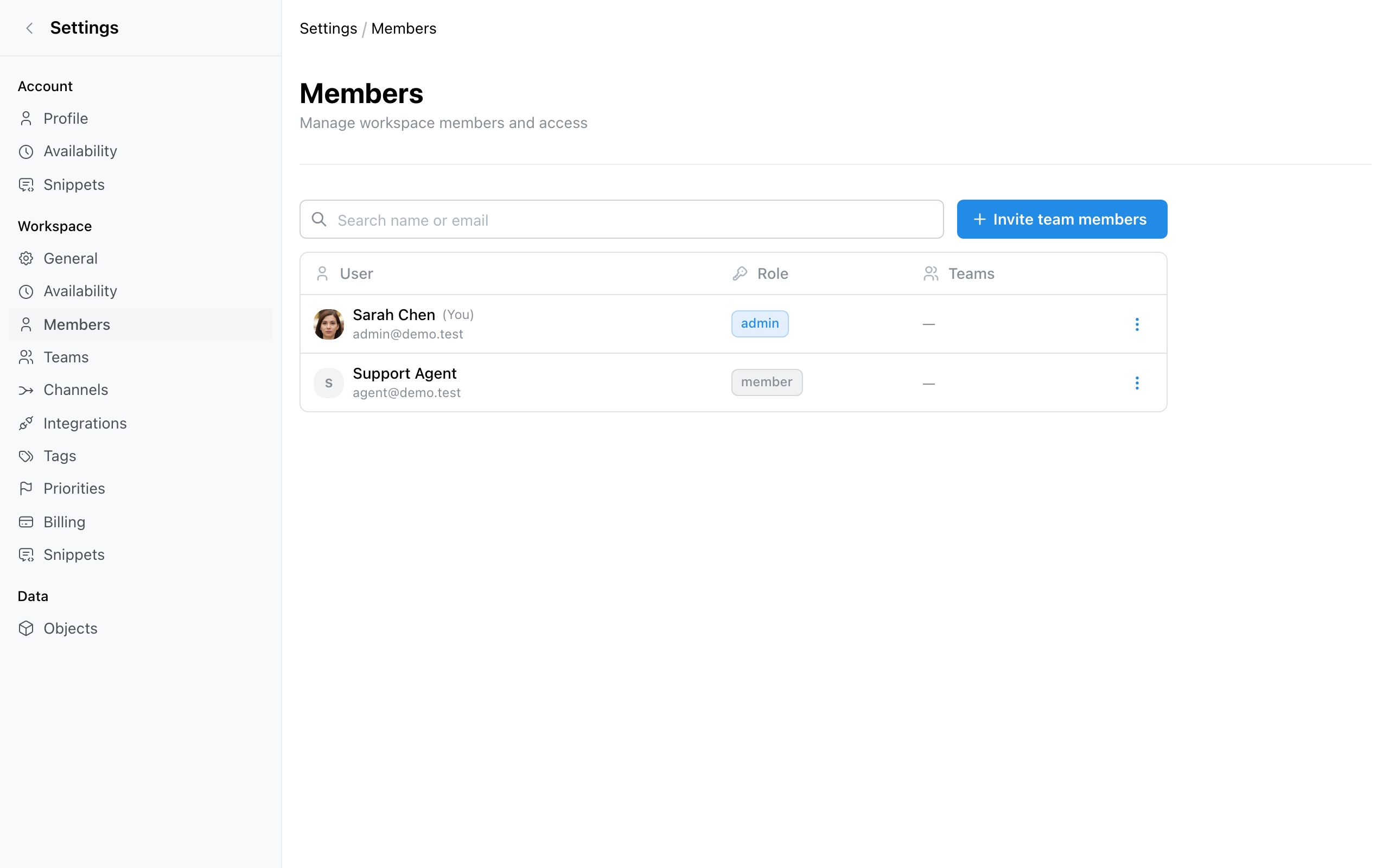
Invited members receive a magic link to join your workspace — no password required.
Connect a channel
Connect at least one channel so customer messages start flowing into your inbox:
Web Messenger
Add a live chat widget to your website for real-time conversations.
Connect your Gmail inbox to manage email support.
Slack
Handle customer conversations directly from Slack.
Form Capture
Turn website form submissions into conversations.
Send your first reply
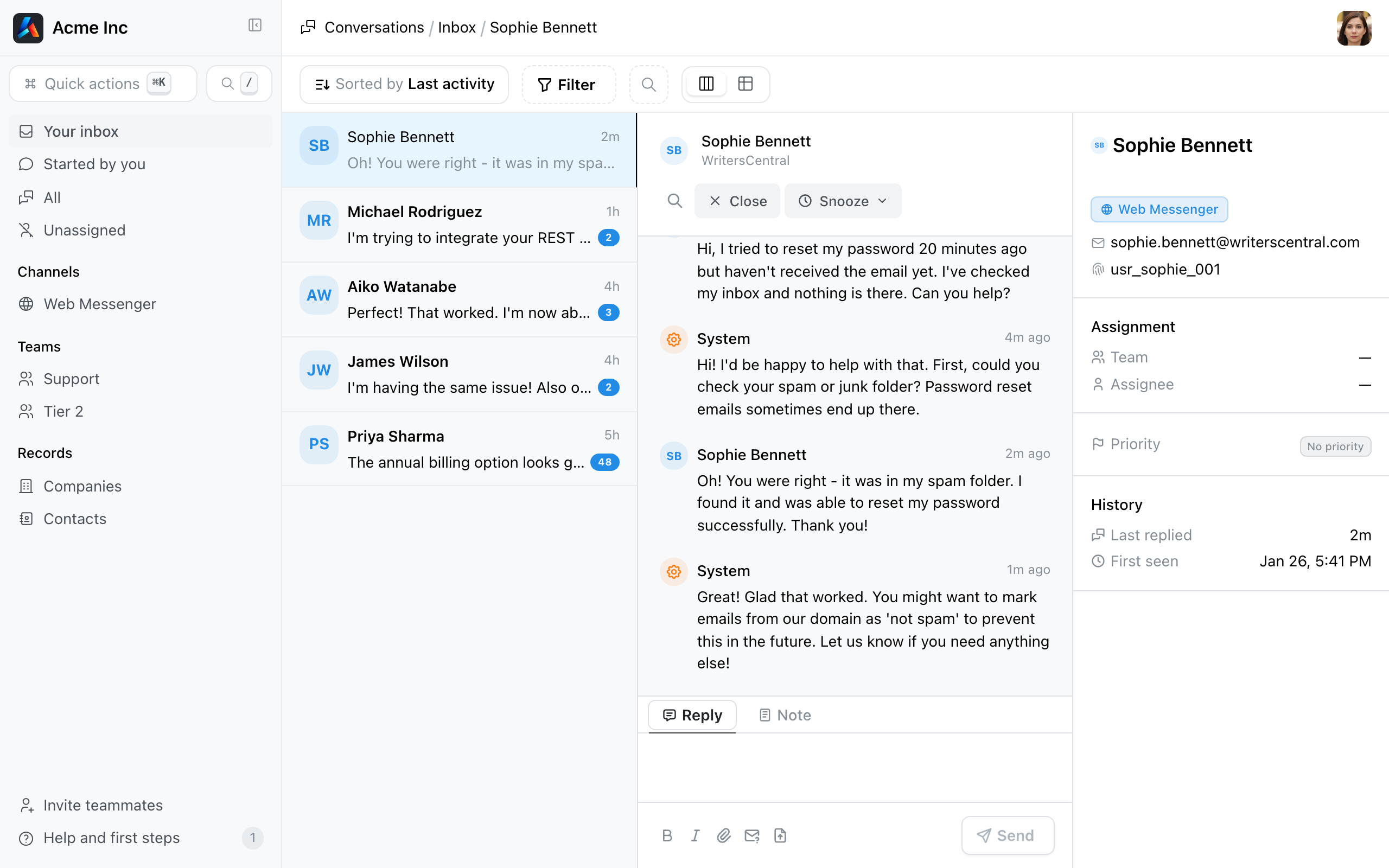
After connecting a channel:
Assign the conversation to a teammate or mark it as resolved using the controls in the conversation header.
What you've achieved
Your Zickt workspace is ready. You have:
- A workspace with your team invited
- At least one channel connected and receiving messages
- An inbox where your team can read, reply, and assign conversations